What is Docker Compose and how to use?

Docker Compose is a tool that allows you to define and manage multi-container applications for Docker using a single YML file (docker-compose.yml). With it, you can configure services, networks, and volumes in a readable and reproducible format. It is ideal for managing complex environments where multiple services (such as a database, cache, and backend) need to be orchestrated together.
This way, services that depend on each other are orchestrated. For example, imagine an API that needs to use a database, cache, messaging, etc. Docker Compose can orchestrate them.
This post is a continuation of the previous one; if you have any questions, feel free to check it out: previous post.
Let’s practice

version: "3.9"

networks:
  company-network:
    driver: bridge

services:
  company-mysql:
    image: mysql:8.0
    environment:
      MYSQL_ALLOW_EMPTY_PASSWORD: "yes"
    ports:
      - "3306:3306"
    networks:
      - company-network

  company-api:
    image: company-api
    environment:
      DATABASE_HOST: company-mysql
    ports:
      - "8080:8080"
    networks:
      - company-network
    depends_on:
      - company-mysql
This docker-compose.yml file defines a container environment with a network and two services, company-mysql and company-api. Each configuration has a specific role in the creation and orchestration of these containers.
version: "3.9"
- Defines the Docker Compose version.
networks
- Creates a network named
company-networkwith thebridgedriver, which is Docker’s default network for container communication. - This network allows services to communicate using the container name, making it easier for them to access each other.
services
- Defines the containers and their specific configurations.
company-mysqlimage: mysql:8.0: Specifies the Docker imagemysql:8.0for the service, installing MySQL version 8.0.environment: Configures an environment variableMYSQL_ALLOW_EMPTY_PASSWORD: "yes", allowing the use of an empty password for the root user (intended for development only, not recommended for production).ports: Maps port 3306 of the MySQL container to port 3306 of the host, enabling database access from outside the container.networks: Connects thecompany-mysqlcontainer to thecompany-network, facilitating communication with other services on the same network.
company-apiimage: company-api: Specifies that the service will use thecompany-apiimage.environment: Sets the environment variableDATABASE_HOST: company-mysql, defining the hostnamecompany-mysql(the service name) for database connection.ports: Maps port 8080 of the container to port 8080 of the host, exposing the API for external access.networks: Connects thecompany-apito the samecompany-networkfor communication with the database.depends_on: Specifies thatcompany-apidepends on thecompany-mysqlservice.
This docker-compose.yml creates two containers connected by a shared network.
DockerFile.
FROM eclipse-temurin:17-jre-alpine

WORKDIR /app

ARG JAR_FILE

COPY target/${JAR_FILE} /app/api.jar

EXPOSE 8080

CMD ["java", "-jar", "api.jar"]
Before running the command, make sure the Docker image of the application is available. If not, it is necessary to create it.
docker compose upIt may happen that the API runs before MySQL is available, even when specifying depends_on.
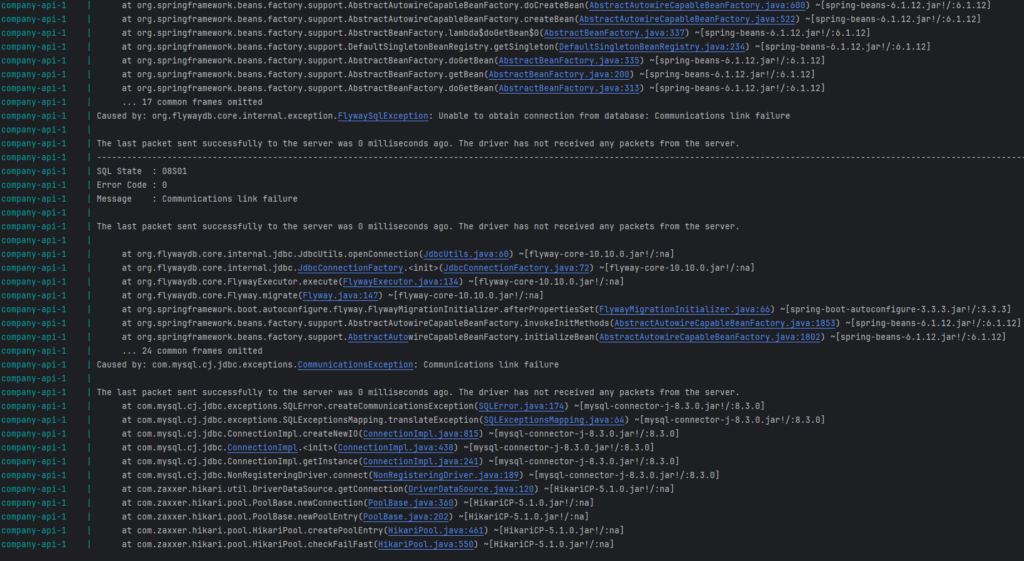

Don’t worry, we can force the API to run only when MySQL is available.
We can use wait-for-it.sh, a bash script that waits until a host is available before running a command. Download the wait-for-it.sh file and place it in the root folder of the project. We can specify the host and port we are waiting for, in this case, MySQL, and the command that needs to be executed after the host (MySQL) is running on the specified port.
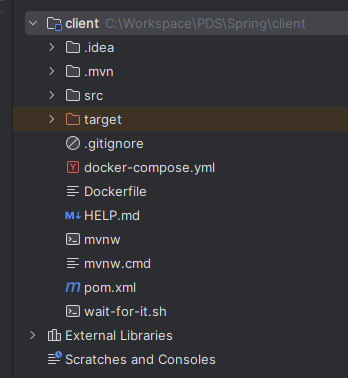
We make the wait-for-it.sh file available inside the image by specifying it in the Dockerfile.
RUN apk add --no-cache bash

COPY wait-for-it.sh /wait-for-it.sh

RUN chmod +x /wait-for-it.sh
In the docker-compose file, it is necessary to add the command to the company-api service.
command: ["/wait-for-it.sh", "company-mysql:3306", "-t", "30", "--", "java", "-jar", "api.jar"]This way, the command in the Dockerfile is replaced by the one in the docker-compose file. It waits for the MySQL container to start with a timeout of 30 seconds, indicated by the -t parameter. Once MySQL is available on port 3306, it runs the command java -jar api.jar.
Reviewing the files before running the commands.
Dockerfile
FROM eclipse-temurin:17-jre-alpine

RUN apk add --no-cache bash

WORKDIR /app

ARG JAR_FILE

COPY target/${JAR_FILE} /app/api.jar
COPY wait-for-it.sh /wait-for-it.sh

RUN chmod +x /wait-for-it.sh

EXPOSE 8080

CMD ["java", "-jar", "api.jar"]
docker-compose
version: "3.9"

networks:
  company-network:
    driver: bridge

services:
  company-mysql:
    image: mysql:8.0
    environment:
      MYSQL_ALLOW_EMPTY_PASSWORD: "yes"
    ports:
      - "3306:3306"
    networks:
      - company-network

  company-api:
    image: company-api
    command: ["/wait-for-it.sh", "company-mysql:3306", "-t", "30", "--", "java", "-jar", "api.jar"]
    environment:
      DATABASE_HOST: company-mysql
    ports:
      - "8080:8080"
    networks:
      - company-network
    depends_on:
      - company-mysql
Before running docker-compose, we need to create the API image and ensure that the wait-for-it.sh file has the correct Line Separator if you’re using Windows. In IntelliJ, you can check it here.

Set it to LF, save the file, and build the API image. Now we can run the docker compose command.
docker-compose up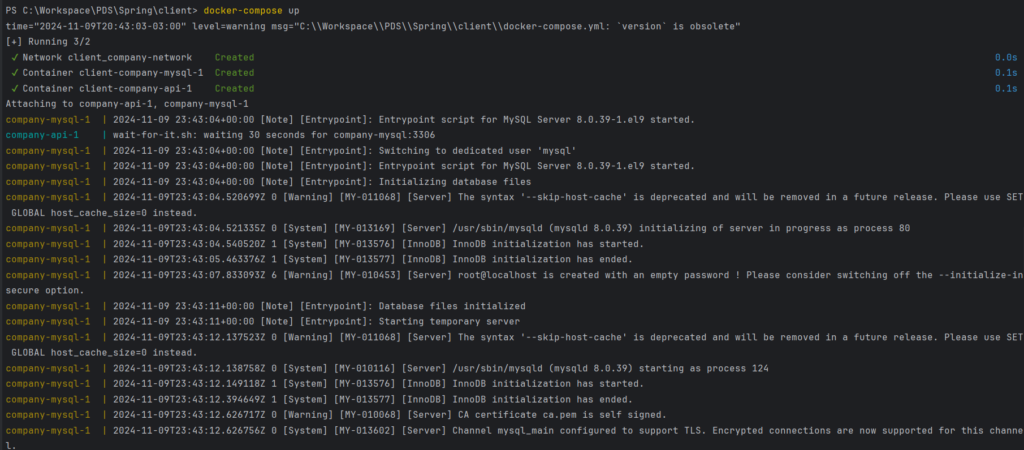
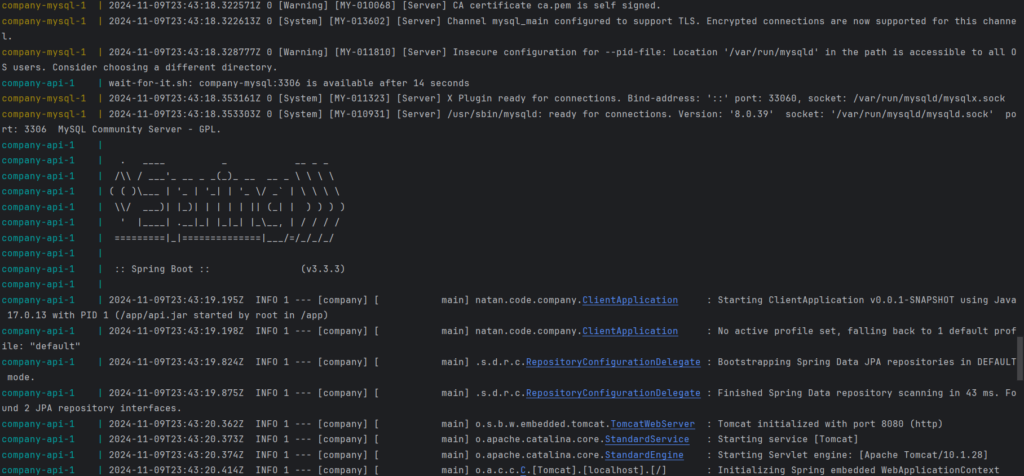

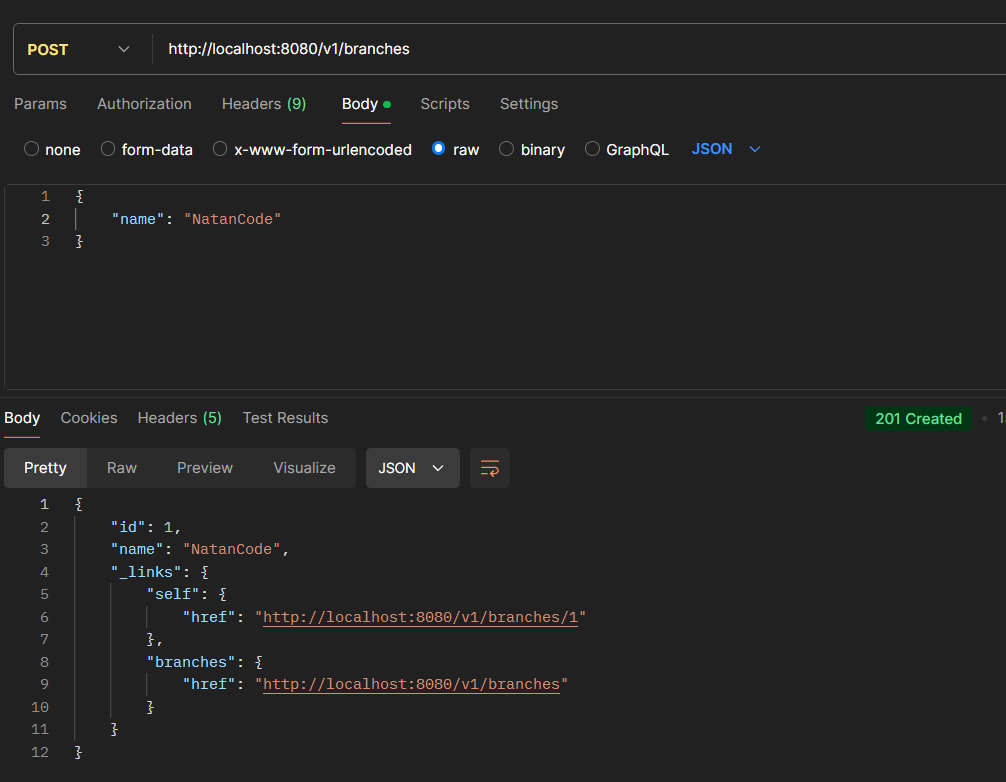
When calling the endpoint, I get the result.